
 −70%

AI Girlfriend: How to Start, Tune and Pay Per Photo
How to start an AI girlfriend: GoLove.ai wins on in-chat photo requests that keep her face — 1 Star each. See the setup steps and plan prices.
The AI Girlfriend Setup Path, Priced Step by Step
Meeting an AI girlfriend costs nothing. You start paying when you ask her for a photo. On GoLove.ai that photo is 1 Star, so the order you set her up in decides what you spend.
| Step | Where in GoLove.ai | Star cost | Plan needed |
|---|---|---|---|
| 1. Watch a Series episode | Series, in the main menu | 0 for episodes 1–2 | None, no account required |
| 2. Open a chat | Explore → tap any character | 0 | None. Her first photo shows, the next is blurred and locked |
| 3. Join and claim daily Stars | Sign-up, then the daily reward | +2 Stars per day | Free account |
| 4. Tune her | Chat Settings: voice, lust 1–5, length 1–5 | 0 | Sliders free to set; voice is PRO |
| 5. Request a photo | Media button → Send Photo | 1 Star, ~20–45 s | Stars (NSFW unlock is PRO) |
| 6. Make it move | "Generate Video" under the photo | 10 Stars, ~1 min | Stars |
| 7. Commit | PRO plan | 100 Stars/month included | ~$19.99/month or ~$119.88/year (checked 2026-10, varies by region and promo) |
I'm putting GoLove.ai at the top of this path because steps 1–6 all happen around one character in one chat loop. You meet her in an episode or on Explore, and every photo and clip after that comes out of the same thread. You never have to find her again in a separate tool, which matters more than it sounds.
The table also tells you where to stop, because every cost is tied to an action. Steps 1 to 3 are free, and the first Star goes on a photo request. If all you want to know is whether she's worth your time, you can find out before spending anything.
Explore opens a chat without a sign-up. The cheapest test is to pick a face and say hi to her right now, before you look at a single plan.
Browsing the Explore roster
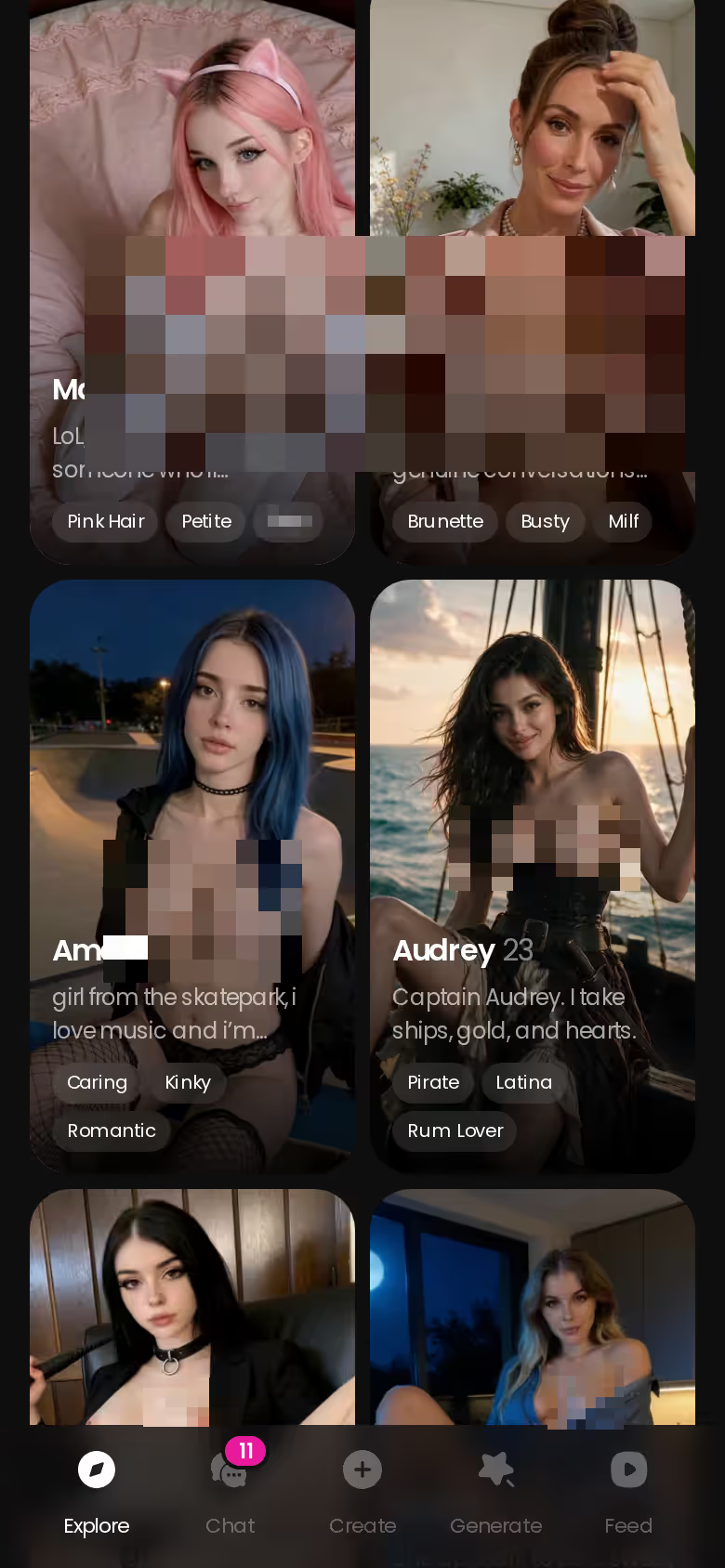
Explore is the deep end. On mobile it's a long scroll of characters in three categories: Realistic, Anime (300+ anime characters with their own category) and Trans. The gender filter lists Male as "Soon," so an AI boyfriend isn't an option today. Tap a profile and the chat opens immediately.
Starting from a Series episode
Series is the route that's easy to miss, and I think it's the better one. GoLove makes its own vertical 18+ short dramas in a Netflix-style format: 10 series and 60 episodes as of 2026-11-05, each episode 60–100 seconds. The one that fits this topic is My AI Girlfriend, 7 episodes. After an episode, the Start Chatting button opens a chat with that cast member. You've already seen her story before you send her a message, and no other entry point gives you that.
Characters readers already gravitate to
Barbara (@dixie) from I Can Hear Their Thoughts and Jessica (@HotlineJess) from My Professor Locked the Door both come with a full series behind them, so the chat starts with some context.
Three ways in:
- Explore gets you to a chat fastest.
- Series introduces her through a story first.
- Design your own builds her from scratch (covered below).
Tuning Her: Lust Level, Reply Length and Voice
Tuning her is free and takes under a minute. The click path:
- Open her chat.
- Open Chat Settings.
- Pick a voice from the voice picker.
- Set the lust level, then the response length.
 5 episodes
 Every Halloween a rose waits on his doorstep. Tonight the witch who leaves it walks in through his candle flame.Starring Morgana & LivWatch Ep. 1
 5 episodes
 Turbulence drops Camilla into a billionaire's lap. Her jealous boss says one more night will cost her her wings.Starring Camilla & TheklaWatch Ep. 1
 5 episodes
 For a year she undressed in Leo's dreams and begged him to find her. Today she is the one hiring him.Starring BarbaraWatch Ep. 1
 7 episodes
 He shoots a vampire with silver, and the wound opens on his own chest. Now two vampires want him.Starring KatarinaWatch Ep. 1
 5 episodes
 His boss's price: seduce his wife on hidden camera in seven days. But she may know more than he thinks.Starring SamanthaWatch Ep. 15 episodes
 He games with Mochi every night and dreams of a cosplayer by day. They're the same girl — and she wants to play in person.Watch Ep. 1
 5 episodes
 The girls treat him like nobody. In their heads, he's the only one they want.Starring BarbaraWatch Ep. 1
 5 episodes
 She almost kissed him at the bar. On Monday she walks into his lecture — as his professor.Starring JessicaWatch Ep. 1
 7 episodes
 A black box on his doormat — and glasses that bring his perfect girl to life.Watch Ep. 1
 6 episodes
 She streams to pay off her debts. She has no idea he owns the platform.Watch Ep. 1
 9 episodes
 Fired. Cheated on. Dead. Now a sweet angel and a wicked demoness both want him.Starring Angel & AsmodeaWatch Ep. 1
 8 episodes
 The King promised Cora to the tourney's winner. She wants the guard the court calls a dog, so she fights under a helmet.Watch Ep. 1
 6 episodes
 Riley kissed Cole back, then cancelled their Thursdays. Now she is marrying Richard and sleeps down the hall.Starring RileyWatch Ep. 1
Lust level, 1 to 5
At level 1 she's sweet and wholesome. At level 5 she's unfiltered and intense. Start at 3 and adjust after a few messages. Going straight to 5 skips the flirting, and the buildup is a big part of the fun (I'd say it's half the reason to have a companion instead of a generator).
Response length, 1 to 5
Level 1 gives snappy, text-message-style replies, and level 5 gives rich, immersive paragraphs. Use short replies for quick back-and-forth and long ones for slow-burn roleplay.
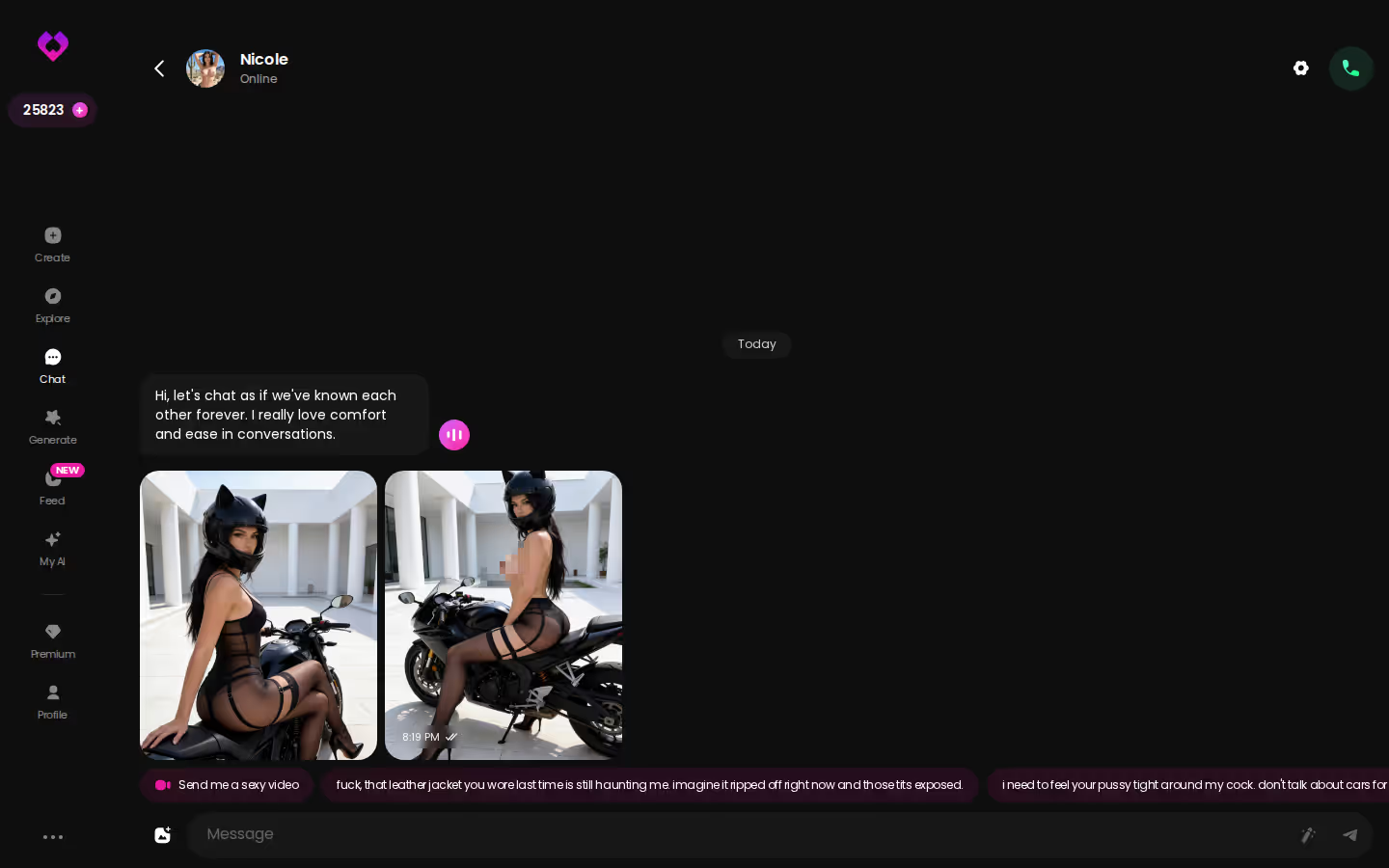
Voice picker and reply tools
Every message she sends has a voice playback button. Voice messages and calls are part of PRO. If you're stuck, the magic-wand button writes 3 suggested replies, and any reply that misses can be rated 1–5 and regenerated.
Does changing the sliders reset her? No. The sliders change how she answers. The chat history stays, because GoLove's Memory keeps it.
Requesting Her Photo, Then Making It Move
Say you're mid-chat and want to see her. Tap the media button, choose Send Photo, and describe the scene in your own words: where she is, what she's wearing, what she's doing. You don't need any prompt syntax.
Characters you can open right now
Tap any of them and the chat starts there






Send Photo: 1 Star, about 20–45 seconds
The photo shows up in the thread, and it's still her. Her face and body match her avatar and every earlier photo. For a companion, that consistency is the killer feature. Explicit requests work with adult characters.
Generate Video from that photo: 10 Stars
Under the photo there's a one-tap Generate Video. In about a minute you get a roughly 5-second clip of the same scene with the same woman. It's optional, and I'd treat it as an extra, but it's there when a still isn't enough.
1 Star = 1 photo · 10 Stars = photo to video
Or batch her in the generator
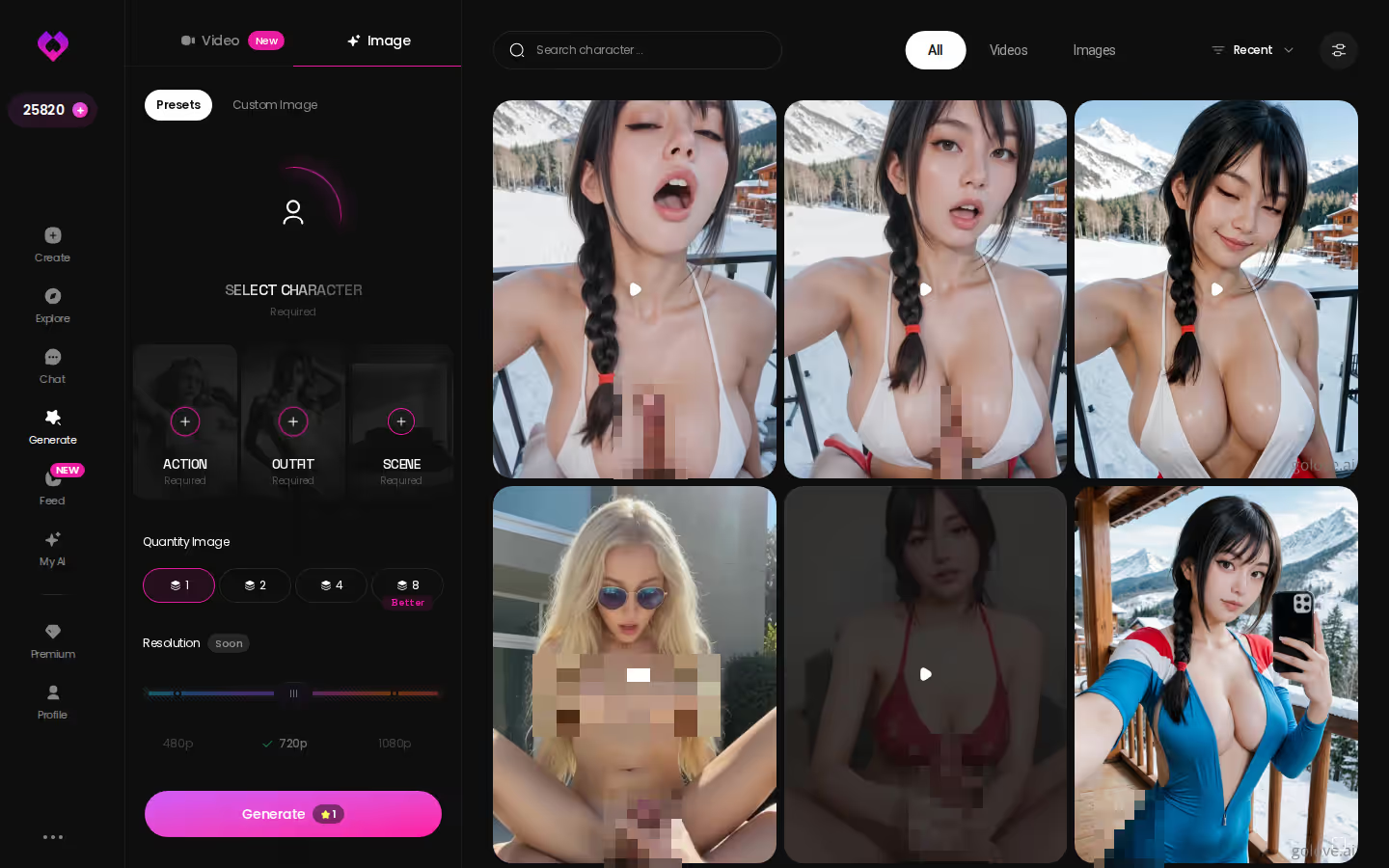
For a whole set instead of a single photo, go to Generate → Image mode and pick her:
- Action: 35 poses
- Outfit: 21 options
- Scene: 34 backgrounds
Batches come in 2, 4 or 8, still at 1 Star per image.
The math is simple: a photo costs 1 Star and the daily reward gives a new account 2. That makes your first request effectively free, so ask her for one today.
The Create wizard
If nobody on the roster is quite right, build her yourself. The Create wizard opens with a Female/Trans toggle, then Realistic and Anime cards. There's also a Design AI shortcut if you'd rather describe her than click through options.
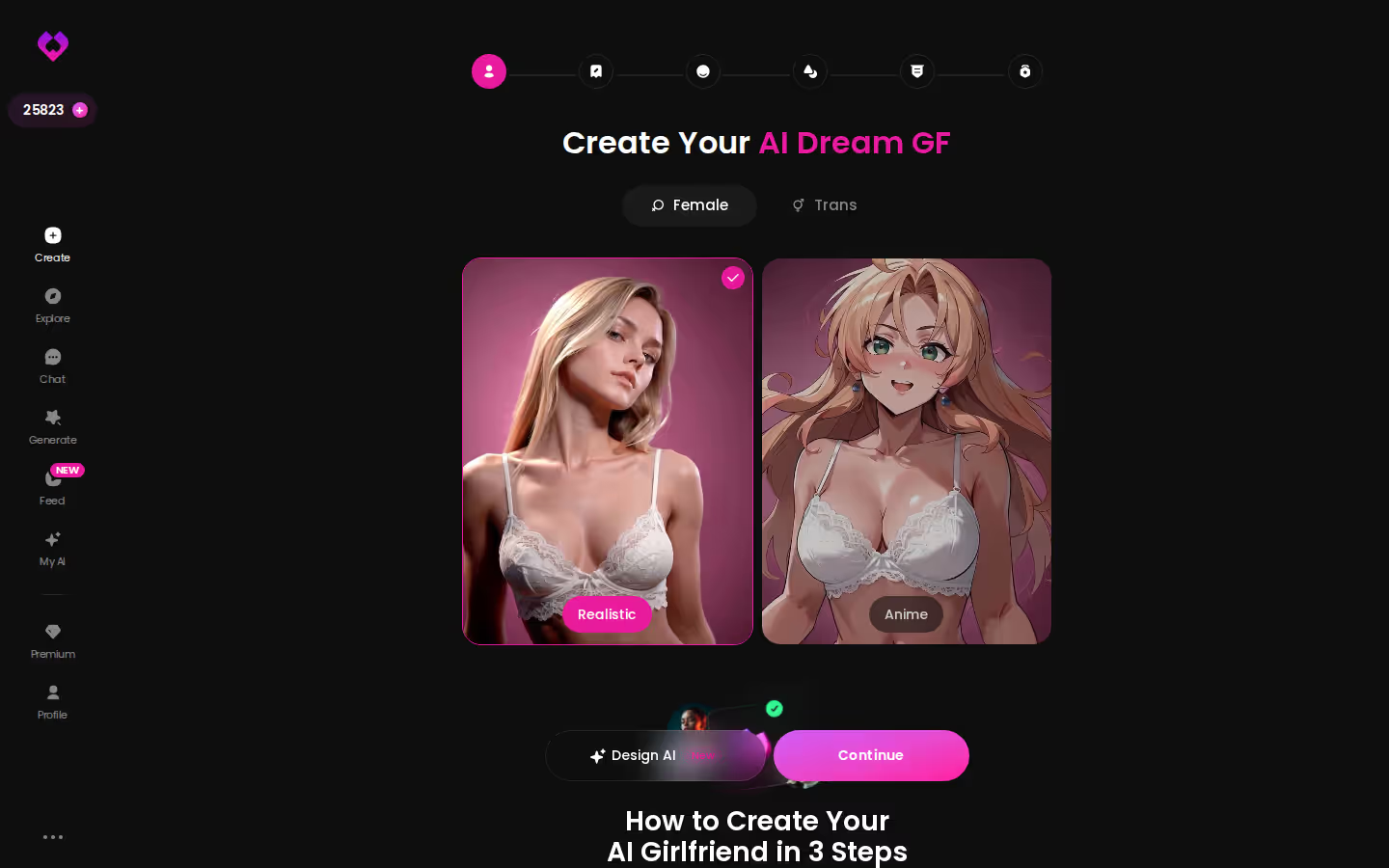
Design with AI
You describe her in plain text, up to 2,000 characters covering her look, personality, job and backstory. About a minute later you have a named character with her own @handle, a written bio and a portrait. It cost about 3 Stars when observed. She's Private by default. If you make her public, other users can chat with her, and she can earn you Stars as her creator.
On GoLove.ai, the order that works:
- Pick a character — or build one to your taste
- Say something real: she remembers your chat history
- Open Chat Settings: pick her voice, lust level and reply length
- Ask her for a photo in the chat
- Want a set pose or outfit? The image generator has 35 realistic poses and 21 outfits
What it needs
Creating an AI character is listed among PRO's inclusions. She comes out of the wizard or a text description: you choose Realistic or Anime, or let Design with AI build her, and GoLove generates the character. From there you chat with her and generate images or video of her.
Design or pick?
- Designing gives you full control over her look and concept.
- Picking from the roster is quicker, and she comes with an existing photo and video library.
Keeping Her Consistent: Memory, Gallery and Your Chat List
Continuity is the difference between a companion and a chatbot that phones it in.
Memory
GoLove remembers your chat history, and Relationship Progression builds on it, so the relationship has a past instead of restarting every session. ULTRA adds an 8,000-message smart memory. Most people won't need it. If you plan to stay with one character for months, though, it's what keeps her from forgetting the early conversations.
Continuity is the product. The photos are just where you notice it.
Gallery by date
Every photo and video you request goes into her own gallery, sorted by date. Finding last week's photo doesn't mean scrolling back through the whole chat.
One roster, one list
On mobile, the chat list shows each companion with a preview of her last message. If you keep a Series character and one you designed, you can see where you left off with each without opening either thread.
What an account gets you without paying
- 2 daily reward Stars, claimable every 24 hours.
- Feed: a limited number of new videos per day.
- Series: episodes 1 and 2 of every show.
Where the paywall sits
PRO unlocks all NSFW content, voice messages and calls, character creation and unlimited Feed. Series episodes 3 onward need PRO, and each further episode costs a few Stars.
Why your price may differ
GoLove prices by region, and new visitors see a limited-time "−70% first subscription" offer. We couldn't confirm a deadline for that offer, so assume it could end at any point. Star packs start around $9.99 for 30 Stars (checked 2026-10). At that rate, per-photo costs add up fast if you request a lot of photos. PRO's 100 monthly Stars is the better deal for anyone in that position.
A few things we couldn't confirm: the exact daily Feed cap, how long the new-user discount runs, and how many monthly Stars ULTRA includes.
The free tier still covers a lot. You can meet her, chat with her and watch her series before you pay anything, so trying it is an easy yes.
GoLove PRO or OurDream Premium: The Rows That Decide It
The decision comes down to rows 5, 6 and 7 of the table.
GoLove PRO costs about $19.99/month, or about $119.88/year (around $9.99/month), with 100 Stars every month. At 1 Star per chat photo, that's roughly 100 photos, or 10 photo-to-video clips at 10 Stars each. OurDream Premium also costs about $19.99/month, or about $9.99/month billed annually. It comes with 1,000 DreamCoins per cycle, shared across images, voice and video, and we couldn't confirm how many images those coins buy. All prices were checked 2026-10 and vary by region and promo.
and watch their story unfold.View Character
For a closer look at the rival, see the full OurDream plan and feature review, or our breakdown of OurDream alternatives for companion chat.
Here's how I'd split it. Choose OurDream if you want chat, image and video bundled into one subscription and you're fine using it on the web, since it has no native mobile app. Choose GoLove.ai for what this guide is about: a companion whose face stays the same across every in-chat photo and video, met through a Series episode or straight from Explore.
Verdict: For a consistent AI girlfriend you meet, tune and photograph in one chat, GoLove.ai is the pick.
My recommendation is GoLove.ai. If no one on the roster fits, Design with AI gives you your own character in about a minute, and she's yours from the first message.
Frequently Asked Questions
01Who is an AI girlfriend app like GoLove.ai actually for, and who should skip it?
GoLove.ai suits adults who want one AI girlfriend whose face stays the same across every in-chat photo, who remembers your history, and whom you tune with lust and reply-length sliders. If you want an AI boyfriend, skip it for now, since the gender filter lists Male as "Soon." Skip it too if you'd rather have chat, images and video bundled into a single web subscription, which is OurDream's strength.
02How much does an AI girlfriend cost per month once you want her photos?
Each in-chat photo of your AI girlfriend costs 1 Star. GoLove PRO runs about $19.99/month, or about $119.88/year (around $9.99/month), and includes 100 Stars every month, which covers roughly 100 photos. PRO also unlocks NSFW content. Pay-as-you-go Star packs start around $9.99 for 30 Stars. All prices were checked 2026-10 and vary by region and promo.
03What can you do with an AI girlfriend on GoLove.ai before paying?
Quite a lot, honestly. You can watch episodes 1–2 of any Series without an account, and you can open a chat from Explore with no sign-up. Her first photo is visible there, and the next one is blurred. A free account adds 2 Stars a day, and a chat photo costs 1 Star, so your first photo request is effectively free. Setting her lust level and reply length costs nothing too.
04What's the first limit a new GoLove.ai user runs into?
Usually it's the second photo. In a chat without an account, your AI girlfriend's first photo shows, and the next one is blurred and locked behind a Sign Up button. After you join, the walls are PRO: NSFW content, voice messages and calls, character creation, unlimited Feed, and Series episodes from episode 3 onward.
05Is the annual PRO plan better value than buying Star packs for photos?
If you request AI girlfriend photos regularly, yes. Annual PRO works out to about $9.99/month for 100 Stars, while the smallest Star pack is about $9.99 for just 30 Stars. PRO also unlocks NSFW content, which Stars alone don't. Packs only make sense as an occasional top-up. Prices were checked 2026-10 and vary by region and promo, and the new-user −70% first-subscription offer is limited-time with no stated deadline.
06Does an AI girlfriend remember earlier conversations?
On GoLove.ai she does. Memory keeps your chat history, and Relationship Progression builds on it, so you don't start from zero every session. Changing her sliders doesn't wipe that history either. Every photo and clip also lands in her gallery, sorted by date. For months-long relationships, ULTRA adds an 8,000-message smart memory.
07Is an AI girlfriend I design on GoLove.ai private?
By default, yes. A character you build with Design with AI starts as Private. She only becomes visible to others if you make her public, and then other users can chat with her and she can earn you Stars as her creator. For anything beyond that setting, such as how your chats are stored, we couldn't confirm the details, so check GoLove's own policy pages.
Related Articles
 Guides11 minNovember 2, 2026Adult AI Girlfriend: Set Her Up on GoLove or OurDreamAdult AI girlfriend setup, step by step — GoLove.ai wins on in-chat photo requests that keep her face. Compare costs with OurDream, then start chatting.Read article
 Guides9 minOctober 9, 2026GF Application: Set Up Voice, Memory and PhotosGF application setup, step by step: GoLove.ai wins on continuity — the same girl across chat, live voice calls, photos and video. See how to start.Read article
 Guides12 minOctober 15, 2026NSFW Chatbots: Star Costs, Paywalls and Setup StepsNSFW chatbots compared by cost per image, video and month — GoLove.ai wins on in-chat photos and video of the same girl. See where the paywalls sit.Read article